Feel Editor
Edit, analyze, and export haptics.
macOS 14 or later See the sourceBeta
Make haptics for a video.
Edit on a Mac. Feel on a phone.
Coming soon View source
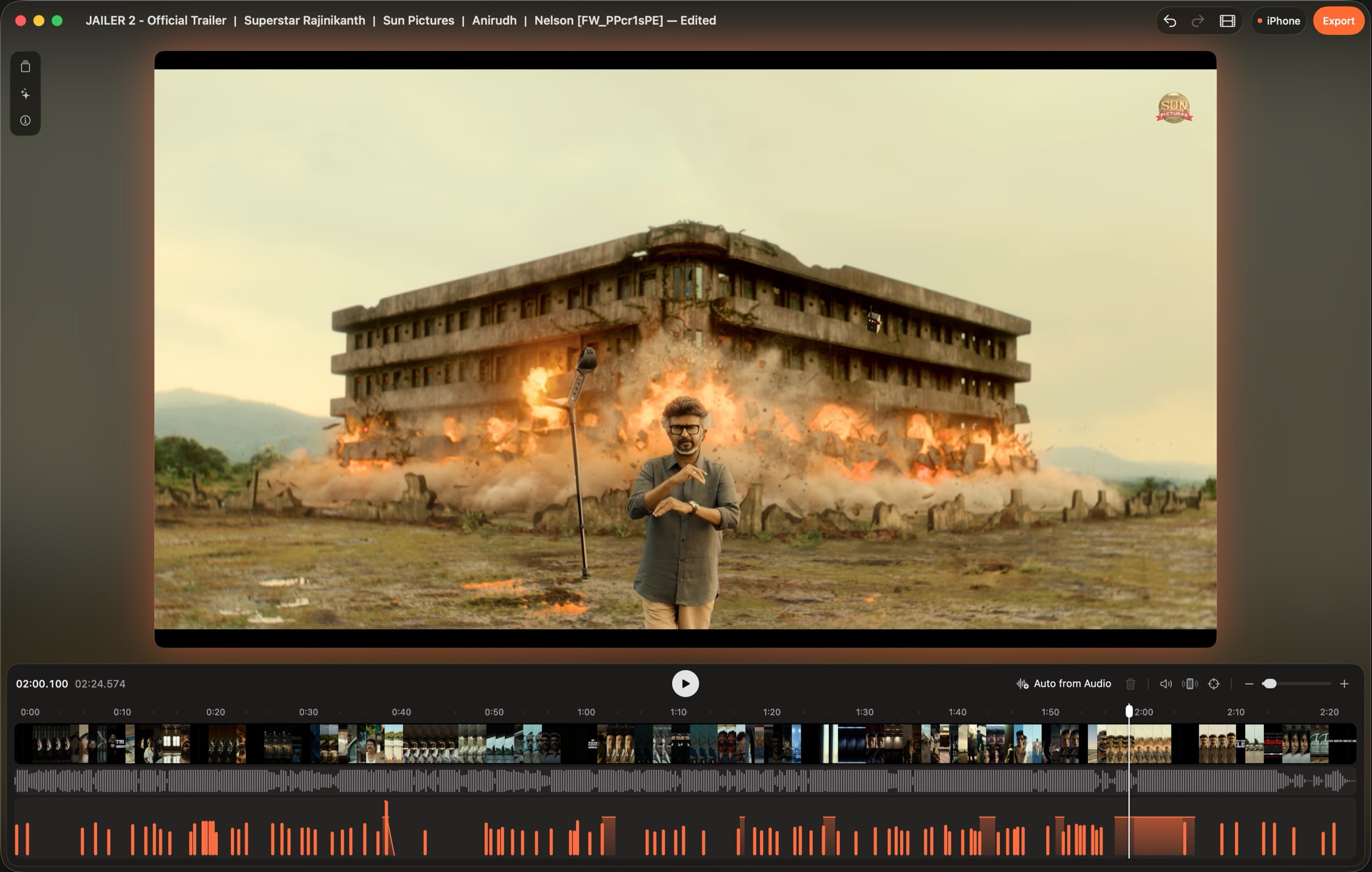
Make haptics for a video in a few minutes.
Start Feel Editor. Import a video. Feel Editor keeps a reference to the file. It does not copy the video.
Put the Mac and the phone on the same network. Open the phone app. Scan the QR code in Feel Editor.
Edit the timeline. The phone plays the haptics in sync with the video. Then export.
Edit haptic events on a timeline. The timeline aligns with the video.
Connect phones to the Mac. Feel the haptics while the video plays.
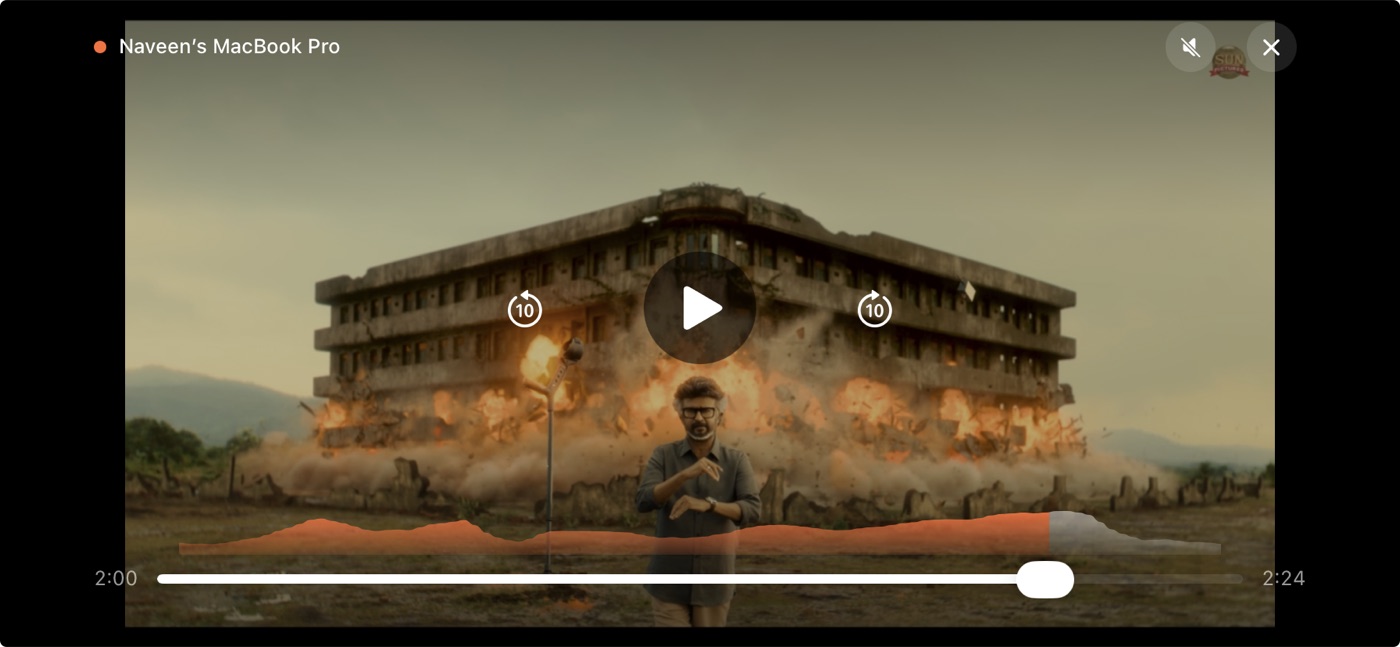
The app suggests haptics from the video and audio. Add a pattern from the preset list.
Edit, analyze, and export haptics.
macOS 14 or later See the source
Plays haptics with Core Haptics.
iOS 17 or later See the source
Plays haptics with the device vibrator.
Android 8.0 or later See the sourceExport your haptics. Add them to your own iOS or Android app.
You do not install a library.
<project>.ahapiOSPlay the pattern with Core Haptics. No video sync.<project>.jsoniOS, AndroidOpen the file in Feel for iPhone or Feel for Android.FeelHapticVideoSync.swiftiOS 16 or laterSync haptics with AVPlayer.FeelHapticVideoSync.ktAndroid 8.0 or laterSync haptics with a Media3 player.// Add FeelHapticVideoSync.swift and <project>.ahap to your target.
let player = AVPlayer(url: videoURL)
let haptics = try HapticVideoSync(player: player, resource: "<project>")
player.play()
// Keep a strong reference to `haptics` while the video plays.// Copy FeelHapticVideoSync.kt to your source folder.
// Copy <project>.json to app/src/main/assets/.
val player = ExoPlayer.Builder(this).build()
val haptics = HapticVideoSync.fromAsset(this, player, "<project>.json")
player.setMediaItem(MediaItem.fromUri(videoUri))
player.prepare()
player.play()
// When you close the screen:
haptics.release()
player.release()The haptics follow play, pause, seek, and speed changes.
A pre-shared key (TLS-PSK) encrypts the connection between your devices. The QR code contains the pairing code.
The apps keep a reference to each video. They do not copy it.
The apps do not collect your data. Feedback is optional and goes out only when you send it. Read the privacy policy.
No. Open the phone app, select a video, and feel the haptics. You need the Mac to edit the haptics.
Put the Mac and the phone on the same network. Scan the QR code in Feel Editor with the phone app.
Yes. Many phones can connect at the same time. This was tested.
Export replaces files that have the same name. Export to an empty folder if you must keep the old files.
Export stops if the project has no events, or if an event has an invalid number. Export shows a warning, and continues, if an event is outside the video, an event has zero intensity, or the project has no video.
The Media vibration setting on the device controls the strength. If it is off, the haptics do not operate. On a Pixel, find it in Settings > Sound & vibration > Vibration & haptics.
A system vibration, such as a touch vibration, can stop the haptics for a maximum of 1.5 seconds. The haptics then start again automatically.
Yes. The source is on GitHub. Apple apps need macOS 14, Xcode, and XcodeGen. The Android app needs JDK 17 and the Android SDK. See the build guide.
AGPL-3.0-or-later. The names, icons, and bundle IDs belong to 7 Angle. If you fork the project, use different ones.
AGPL-3.0. The apps do not collect your data.
Coming soon View on GitHub